
If a Home Depot penny deal rings up at full price, you can often recover the penny price quickly with the right proof and a calm escalation. This guide walks through exactly what to photograph, which store staff to ask, and how Home Depot’s adjustment and return policies work when a penny tag isn’t honored.
Read this page to learn a short evidence checklist, a step-by-step price-check flow you can follow at the register, and practical escalation language if a cashier or manager refuses the penny price. This guide focuses on in-store disputes over penny-tag pricing and immediate remedies; for the full hub of penny-deal background, tags, and sourcing tips, see our main overview below.
Scope boundary: This guide focuses on what to do at checkout when a home depot penny deals item scans at full price; it does NOT list current penny items or act as a general clearance-hunting guide.
Quick Checklist
- Calmly pause before paying; don’t accept the full price without asking for a price check.
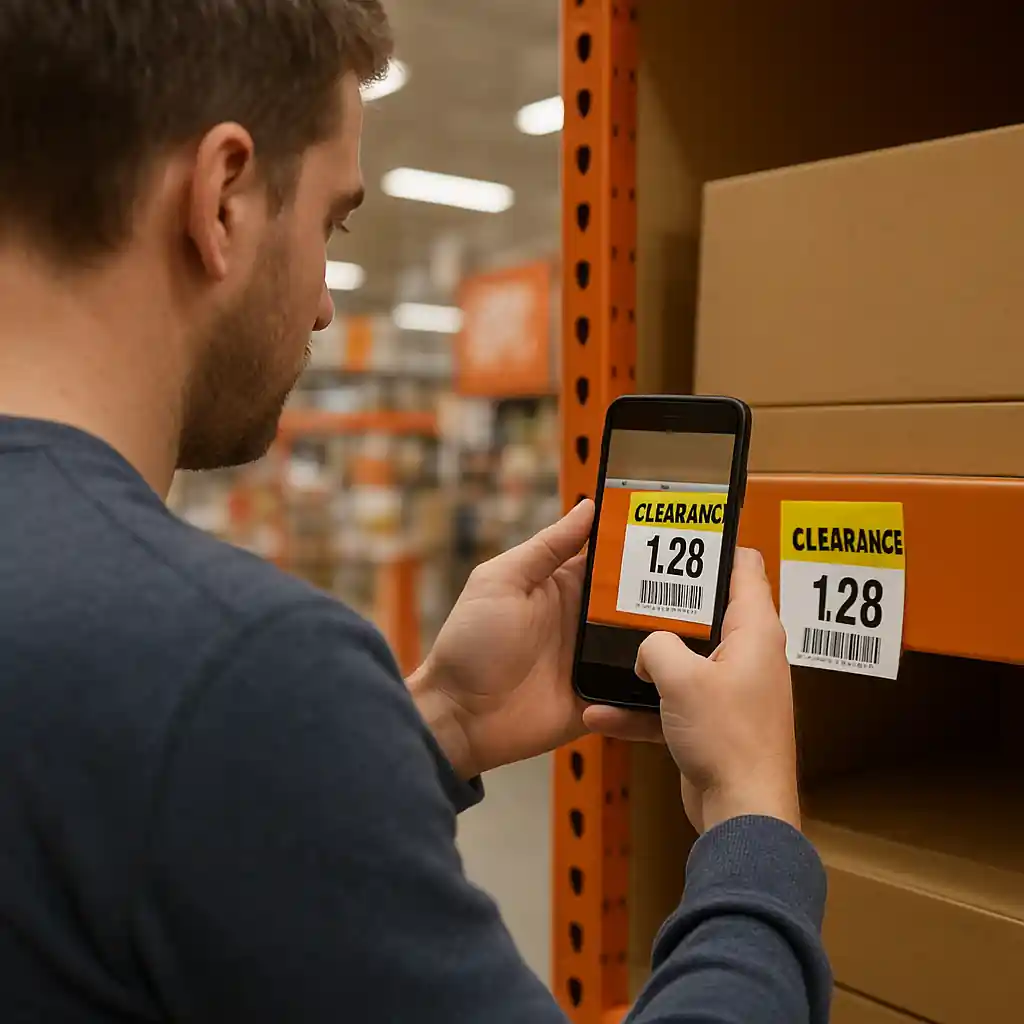
- Take a clear photo of the shelf tag and barcode (include the SKU or item number if visible).
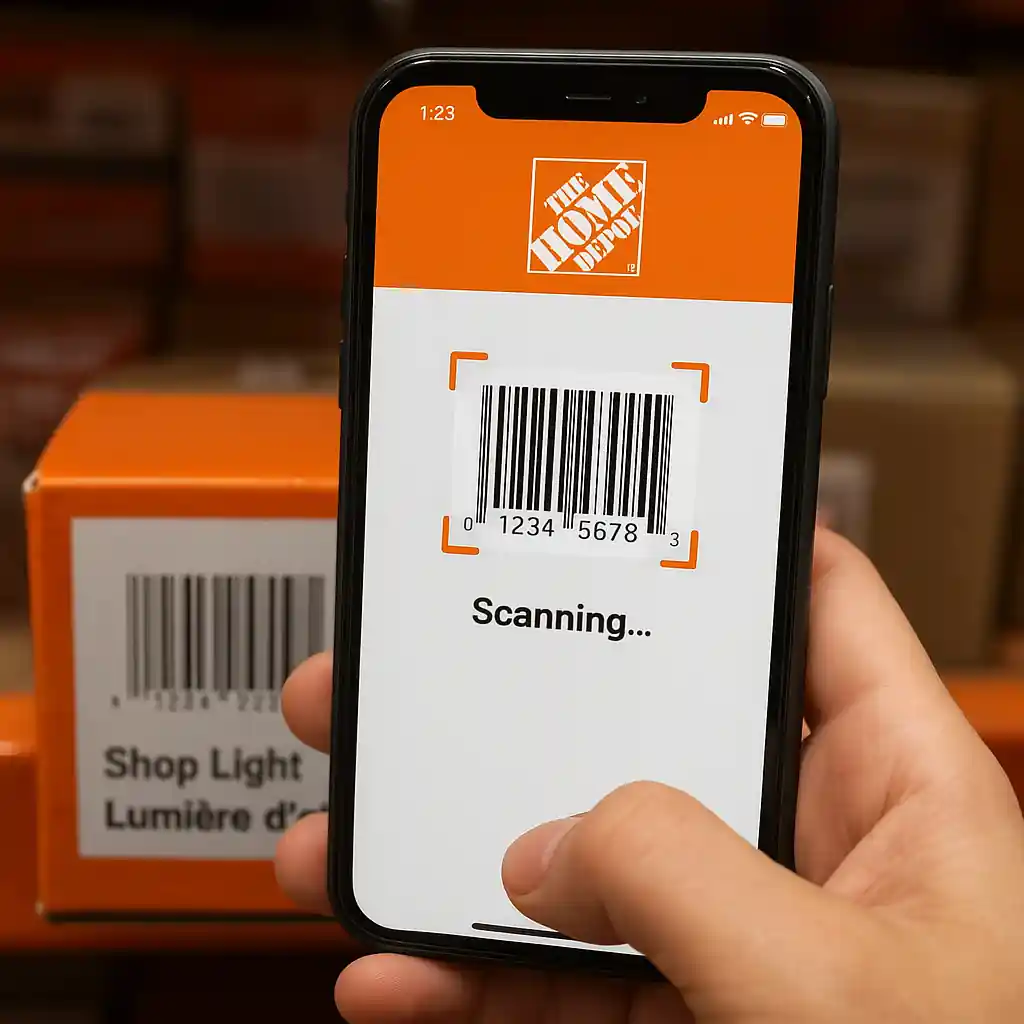
- Scan the item in the Home Depot app to capture the app price and a timestamp screenshot.
- Photograph the item label and UPC barcode on the product itself.
- Ask the cashier for an immediate price check and request a manager if the first response is no.
- If denied, request a written or screenshot note of the cashier’s refusal or manager’s name.
- Keep your receipt; do not discard packaging or tags until the dispute is resolved.
- If the store refuses, call Home Depot customer service and file for a price adjustment or return within the policy window.
Gathering Proof: What Helps Most
The faster you document, the stronger your case. Staff are more likely to honor a penny price if you can show the tag, barcode and app evidence immediately. Focus on three kinds of proof:
1) Shelf tag and in-aisle barcode
- Snap a close-up of the shelf tag that shows the price (even if it’s handwritten or partially removed).
- Include a wider shot showing the product on the shelf so the tag’s location is clear.
2) Product barcode and SKU
- Photograph the UPC on the product and the SKU printed on box labels — mismatched SKUs are a common reason a penny tag won’t scan.
- If the UPC sticker is on a shrink-wrapped package, get a legible shot; staff can scan your image for verification.
3) App or scanner confirmation
- Open the Home Depot app, scan the barcode, and screenshot the app result with a timestamp. The app sometimes shows a local markdown that hasn’t propagated to the register.
- If the store scanner shows a different price, photograph the scanner screen as well.
At the Register: Step-by-Step Price-Check Flow
Follow this short flow to keep the exchange professional and efficient. Read each step aloud where appropriate and always stay polite — managers favor customers who document calmly.
- Step 1: Before completing payment, say: “This item has a penny tag on the shelf. Can you do a price check?”
- Step 2: Show the cashier your shelf-tag photo and the app screenshot. Hand the phone to the cashier if they ask to scan it.
- Step 3: If the cashier scans and the price still shows full, request a manager: “Please call a manager to review the tag and the barcode match.”
- Step 4: If the manager says no, politely ask for the reason and a name. Document the refusal with a quick photo of the manager nameplate or a written note from the register if they provide one.
- Step 5: If denied at the manager level, pay to preserve the item and immediately request a price adjustment or return once you leave the store, or escalate by contacting Home Depot customer support with your proof.
Keep in mind some stores will perform a manager override to adjust the price on the spot; others will refuse if the inventory system shows a different SKU. That’s why matching the UPC and SKU matters.

Home Depot Policies That Matter
Understanding the policy helps you choose the right next step. Two quick points matter most: price adjustments and returns.
Price adjustments and refunds
Home Depot can issue a price adjustment if the price was advertised incorrectly or a manager authorizes the change. If you paid full price and later the item’s store record or app shows the penny price, you can request an adjustment. Prepare to provide your receipt and the photos/screenshots you captured.
Returns and re-purchase tactic
If staff won’t adjust the paid sale, you can return the item under the normal return policy (keep receipt and original packaging), then re-buy the item at the register after asking the store to perform a price check. This can be faster than waiting on customer service in some cases.
When calling Home Depot customer service, use the customer service portal or the in-store support line; provide dates, store number, manager name, and attach your photos. For immediate help, the store’s customer service desk is usually the fastest route. Official help resources: Home Depot Customer Service and general product-safety guidance at the CPSC.

Common Mistakes
- Waiting until you leave the store to gather proof — staff are less likely to honor a claim without in-aisle documentation.
- Not checking the UPC or SKU — if the shelf tag belongs to a different SKU, the register will show the correct price.
- Arguing loudly at the register instead of calmly asking for a manager; loud confrontations reduce the chance of a favorable override.
- Deleting app screenshots or camera photos before filing an adjustment — you need timestamps and images to support your request.
- Assuming online price equals in-store price; some penny tags are local and won’t appear on the national site.
- Refusing to pay at all and demanding the penny price; stores may refuse service if the interaction becomes disruptive.
- Discarding the receipt or packing before an adjustment or return is processed — receipts are required for most refunds and adjustments.
Related Guides
For background on penny deal mechanics and where they come from, see the hub and adjacent how-to posts:
- Home Depot penny deals overview — the main hub explaining what penny deals are and how stores mark items down.
- Why a penny deal disappears at checkout — troubleshooting common causes when the penny price doesn’t appear.
- Confirm penny deals using the Home Depot app — step-by-step barcode checks and app screenshots to keep in your evidence kit.
Conclusion
When a home depot penny deals item scans at full price, act quickly: document shelf tags, UPCs and app screenshots, ask for a manager, and keep calm. If the store denies an adjustment, pay to preserve the item and then request an adjustment or return with your proof.
Next step: if you want the broader context on spotting penny tags and legal considerations, review the full penny-deals hub at /home-depot-penny-deals/ for more tactics and tag-decoding guidance.