
This guide explains whether Home Depot Pro Xtra member pricing, volume discounts, or rewards can be used together with Home Depot promo codes. You’ll get concrete examples of allowed combinations, the account and sign-in steps that matter, and a short troubleshooting flow to protect both discounts at checkout.
We stay narrowly focused on Pro Xtra and promo-code stacking: how the system calculates prices, what to do before you click buy, and what to expect during returns or special orders. This is not a master list of current codes or a general Home Depot savings guide; for the broader coupon roundup see our main hub.

Quick Checklist
- Sign in to your Pro Xtra account before adding items to cart.
- Confirm item price shows Pro Xtra pricing on the product page or cart.
- Read the promo code terms for exclusions (Appliances, services, gift cards).
- Test one item in the cart to verify both discounts stack before a big order.
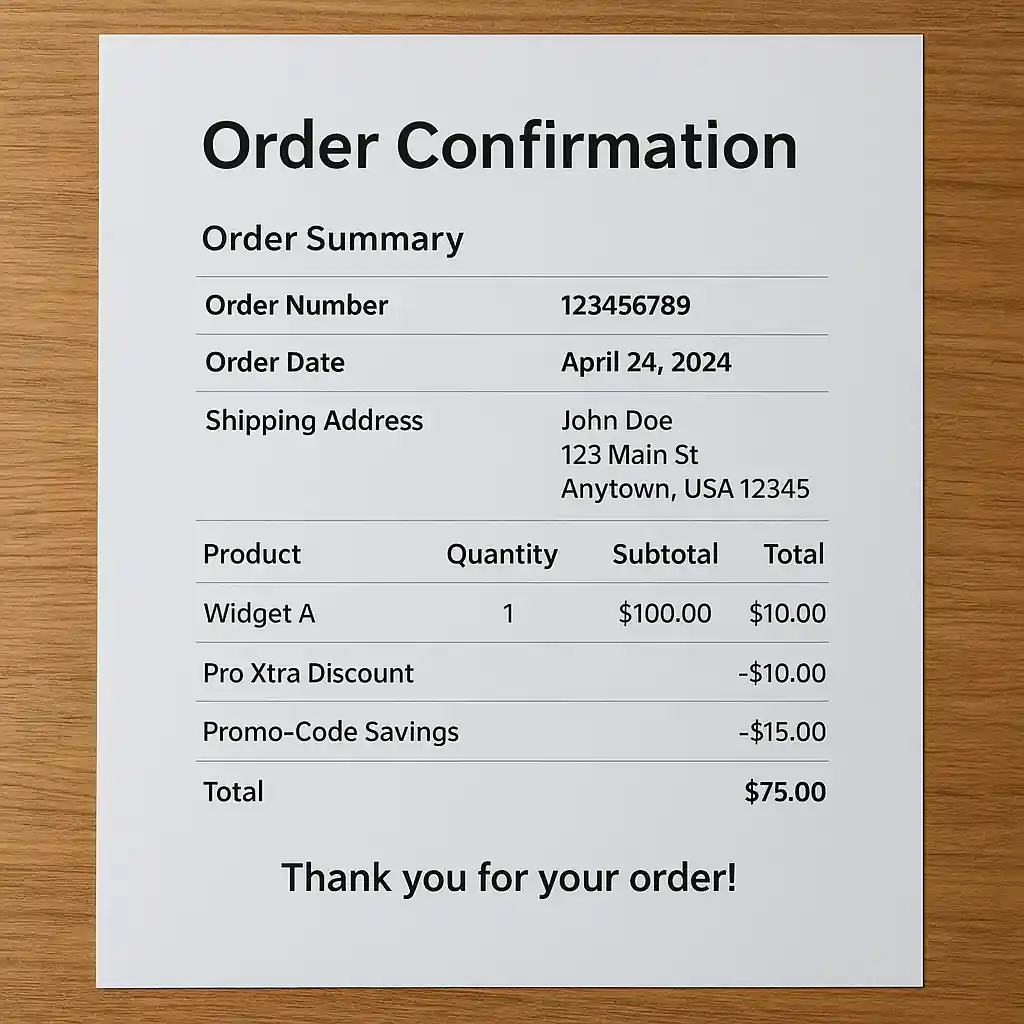
- Keep order confirmation screenshots showing both discounts and final price.
- When buying appliances, check pickup vs delivery rules and add codes at checkout.
- If a code fails, clear cache, try an incognito window, or contact Pro Xtra support.
- Use documented price adjustments or cancel+reorder if a stacking error occurs.
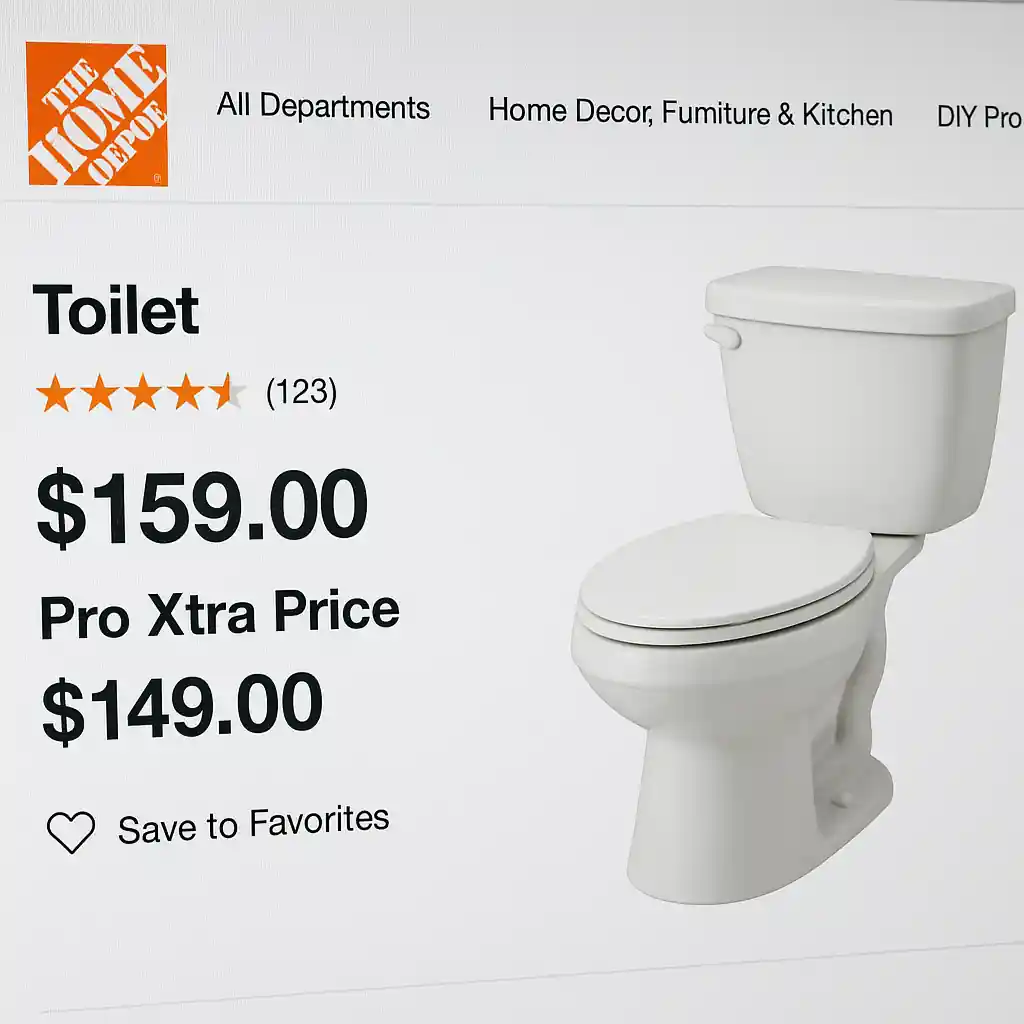
How Pro Xtra Pricing Interacts with Promo Codes
Pro Xtra is a membership tier that can offer contract pricing, volume discounts, or rewards on qualifying SKUs. Home Depot’s systems calculate product price using the highest-priority discount attached to that SKU. In many cases Pro Xtra pricing applies first and a promo code is then evaluated against the adjusted subtotal; in other cases a code may be blocked by SKU-level exclusions.
Key points to understand:
- Priority rules: Some promotional rules apply before membership pricing, others after—this varies by SKU and by the promo’s terms.
- SKU exceptions: Appliances, installations, special orders, and gift cards are frequently excluded from percentage-off promo codes.
- Cart-level vs product-level codes: Cart-level codes often apply after Pro Xtra pricing; product-specific coupons are applied at the SKU level and may override membership price.
When stacking is allowed
Stacking commonly works when a promo code is cart-level (applies to the entire order) and the code’s terms do not explicitly exclude items already discounted via Pro Xtra. Examples where stacking usually succeeds:
- Small tools and accessories that carry both a Pro Xtra discounted price and an allowed site-wide promo code.
- Orders where Pro Xtra provides rewards (points or future-credit) but the current checkout accepts an applied promo code.
When stacking is blocked
Stacking is commonly blocked when:
- The promo code is product-level and coded to exclude items already on a contract or special price.
- Appliances, installation services, or special-order items are involved (these are frequent exclusions).
- The promo’s terms state it cannot be combined with other offers or membership pricing.

Step-by-step: Ensure Both Savings Apply
Follow this exact flow before completing a large purchase to reduce risk:
- Sign in: Log into your Pro Xtra account (do this first on desktop or the app).
- Confirm product pricing: On each product page check that the Pro Xtra price is visible under the price block.
- Add one test item: Put a single qualifying item in your cart and proceed to checkout to confirm the pricing stack.
- Apply promo code: Enter the promo code at the cart or checkout promo field and observe the discount calculation before placing the order.
- Save proof: Screenshot the cart showing the Pro Xtra price and the promo-code deduction together, then save the order confirmation email.
If the discount fails at step 4, try these quick fixes:
- Switch to an incognito browser to rule out cached account states.
- Remove non-qualifying SKUs (appliances, services) from cart and re-test.
- Contact Pro Xtra support or Home Depot customer service via customer service and share screenshots.
Examples: Allowed and Blocked Combinations
Realistic checkout scenarios help set expectations. Below are short examples you can model:
- Allowed example: A Pro Xtra user buys bulk screws priced at a Pro Xtra discount; a site-wide 10% off cart code applies at checkout lowering the subtotal further.
- Blocked example: A dishwasher sold at a Pro Xtra contract price is excluded by the promo’s terms; the promo code rejects the dishwasher SKU and only lowers eligible items.
- Mixed example: A cart with both eligible tools and an excluded appliance will apply the code only to the tools; final savings reflect mixed treatment.
Common Mistakes
- Assuming every promo code applies to Pro Xtra prices—many codes explicitly exclude contractor pricing or member-only discounts.
- Not signing in before adding items to cart; Home Depot sometimes caches prices and will not refresh to show Pro Xtra pricing until sign-in.
- Including an excluded SKU (appliances or services) and expecting the whole order to discount—this can silently prevent the code from applying.
- Failing to test with a single item first, then placing a large order and needing a return or price-adjustment later.
- Overlooking promo-code fine print that lists “cannot be combined with other promotions” or “excludes Pro accounts.”
- Relying only on the mobile app without checking the desktop cart—prices and promo fields sometimes display differently between platforms.
- Not capturing screenshots of the cart and order confirmation showing both the Pro Xtra price and promo deduction—this slows dispute resolution.
Related Guides
- Home Depot promo code hub — the main guide for broader promo code rules and where to find verified offers.
- Pro Xtra appliance savings — how Pro Xtra pricing works specifically for appliances and contractor bundles.
- Home Depot appliance discount — timing, delivery, and price-match tips for big appliance buys.
Conclusion
Home Depot promo codes can sometimes be combined with Pro Xtra pricing, but whether they stack depends on SKU-level rules, the promo’s terms, and correct account sign-in. Using the step-by-step flow above and keeping screenshots will protect your savings and speed any corrections.
Next step: if you want the broader list of promo rules and current offers, visit our Home Depot promo code hub to compare promos and save smarter on your next order.