
Savvy shoppers can cut hundreds from projects by combining store flyers with coupons. This guide explains how to read the home depot weekly sale ad, pair those deals with valid coupons, and avoid common stackability mistakes. You’ll get a step-by-step approach, a practical checklist, and links to verification resources so you can save on tools, appliances, and supplies.
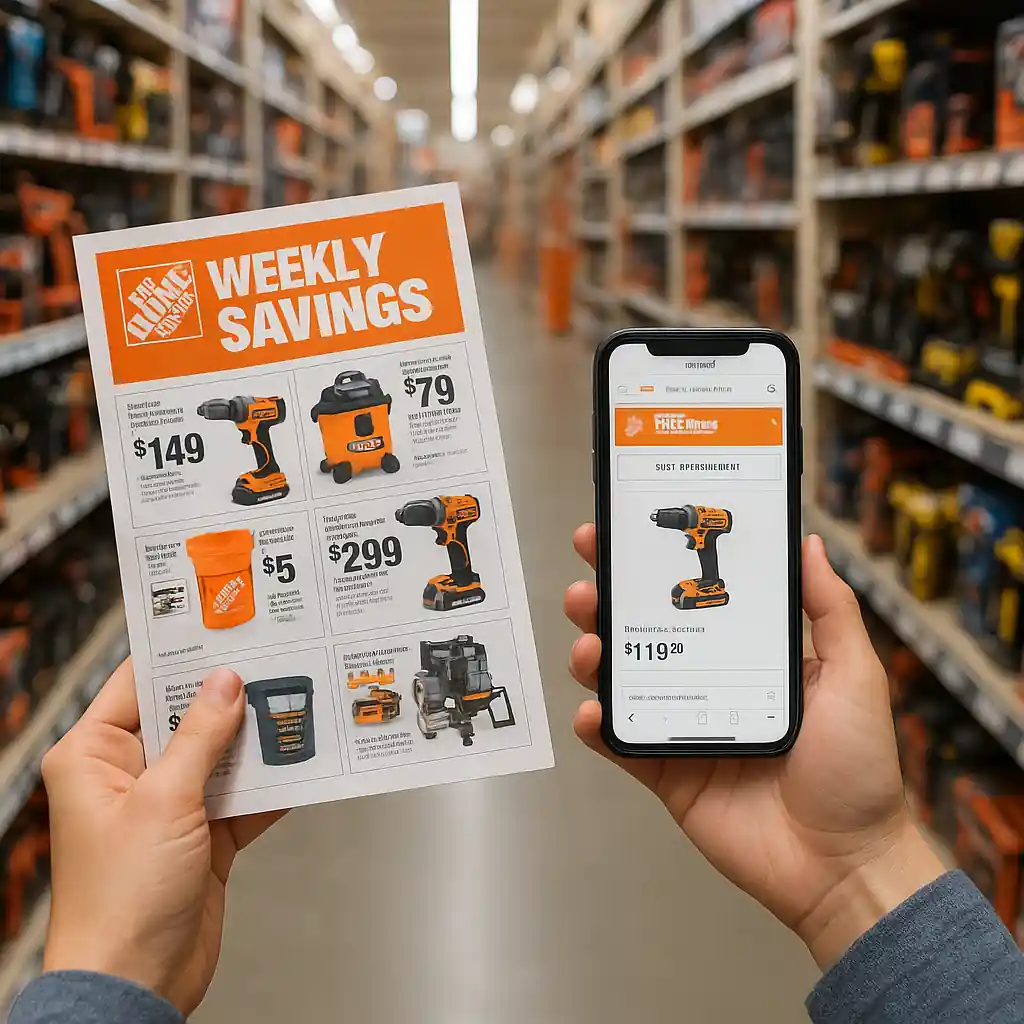
How the home depot weekly sale ad works
Home Depot publishes a weekly sale ad that highlights local and national markdowns on seasonal goods, tools, and appliances. The ad usually runs on a week-by-week cycle and includes limited-time doorbusters and clearance lines. Understanding the ad’s effective dates and whether a price is local or national is the first step to stacking any coupon with a sale.
Read the fine print
- Check start and end dates on the ad and plan purchases before the offer expires.
- Note exclusions: certain brands, clearance items, and some bundled offers may not accept extra coupons.
- Confirm whether the price is online-only or in-store to avoid disappointment at checkout.
For step-by-step ways to find the current ad online, see the site guide at how to find the current Home Depot weekly ad online and the preview options at how far ahead Home Depot posts weekly deals.

Finding and verifying the home depot weekly sale ad online
Locate your local ad quickly: visit Home Depot, enter your ZIP, and choose the weekly ad link. Local inventory and pricing may differ, so use the store selector before you buy. Screenshots and printed copies are helpful for in-store price checks and to show associates when an advertised pricing mismatch occurs.
Two quick verification checks
- Scan the SKU or barcode in the app to match the ad price to shelf price.
- Save a timestamped screenshot of the ad page showing your ZIP and the sale date.
If you need a deeper walkthrough of online coupon application, our coupon code guide explains common failures and fixes: Home Depot coupon code online: 2025 guide.

Stacking coupons with the home depot weekly sale ad
Stacking works when Home Depot allows an additional discount on top of a sale price. You’ll typically combine manufacturer rebates, printable manufacturer coupons, or verified promo codes with an advertised sale. Follow these practical rules:
- Use one coupon type at a time—Home Depot rarely accepts multiple store coupons on the same item.
- Manufacturer rebates usually apply after purchase and do not interfere with sale pricing.
- Promo codes may only apply at online checkout; verify code terms before combining with a sale price.
Remember: the sale price is applied first, then any code or coupon that the system accepts will reduce the balance further. For general promo-code search and verification tips, check our guide at Home Depot promo code 2025.
Example stacking scenarios
- Power tool on sale for $149.99 + manufacturer mail-in rebate: pay $149.99, then submit rebate paperwork for additional cash back.
- In-store clearance item marked down + printable manufacturer coupon: present barcoded coupon at checkout; if accepted, it reduces the clearance price further.
- Online sale price + site promo code: enter the code at checkout; watch exclusions—some codes exclude clearance or heavy appliances.
Common restrictions and how to avoid them
Not every coupon stacks. Watch for these common blockers:
- “Cannot be combined with other offers” language on coupon fine print.
- Item-level exclusions: specific brands or SKU ranges the coupon excludes.
- Price adjustments: some deep clearance markdowns are final and reject extra discounts.
If a coupon fails in-store, remain courteous. Ask a manager to confirm eligibility, show the ad screenshot, and request a manual price override when appropriate. If you run into policy confusion or suspect a pricing error, refer to the official customer service pages at CPSC for safety or recall-related exclusions before purchase.

Plan, buy, and save — a practical checklist
Use this checklist the week you buy:
- Confirm ad dates and your store ZIP.
- Compare sale price to historical prices—don’t buy if the sale is shallow.
- Verify the coupon’s terms, expiration, and SKU restrictions.
- Scan barcodes in the app while in-store to confirm live pricing.
- Keep receipts and rebate paperwork organized for post-purchase claims.
Product categories where stacking earns the most
Some categories consistently allow good stacking or rebates:
- Power tools and tool combos — frequent manufacturer rebates.
- Appliances — seasonal promos plus delivery credits.
- Paint and seasonal outdoor — couponable accessories and manufacturer rebates.
Troubleshooting and fallbacks
If a coupon or promo code fails at checkout, try these fixes:
- Double-check coupon expiry and SKU match.
- Remove bundled items that trigger exclusions and try the coupon on a single eligible SKU.
- Try the online checkout flow if the in-store register rejects a promo code—some codes only work online.
Keep calm and document the error: a manager can often grant a one-time override if the ad clearly showed the price or if the coupon was valid.
Conclusion — make the weekly ad work for your budget
Using the home depot weekly sale ad as the backbone of a shopping plan makes it easier to spot real bargains and apply the right coupons. Verify local pricing, read coupon fine print, and use the checklist before checkout. With a little planning you can stack rebates and valid coupons to lower project costs without sacrificing quality.
Editor’s note: When planning purchases, combining weekly ad deals with coupons can maximize savings at Home Depot without adding complexity. For a clear, step-by-step guide to the hub, visit the Home Depot Weekly Sale Ad hub for practical tips and examples that fit real-life shopping.