
This guide explains exactly how Home Depot treats coupon stacking for online purchases. You’ll learn which combinations the retailer permits, where manufacturer or third‑party rules intervene, how Pro Xtra and service discounts behave, and practical checkout examples that illustrate common outcomes.
Scope boundary: This guide focuses on Home Depot coupon online stacking rules for web/app checkout only; for a full list of current codes and broader saving strategies, see our main Home Depot coupon guide linked in Related Guides.

Quick Checklist
- Confirm the coupon type in your account or promo field (store promo, manufacturer rebate, or promo code).
- Log into any Pro Xtra, military, educator, or student account before checkout to ensure eligibility flags apply.
- Test a single promo code in the online checkout field — Home Depot usually accepts only one code per order.
- Check product-level exclusions (appliances, gift cards, installation services) before assuming stackability.
- Apply manufacturer rebates separately after purchase when allowed — they usually stack with store discounts but require forms.
- Use separate carts or split transactions if two discounts are blocked together but allowed individually.
- Document prices and screenshots if a promo fails, then contact Home Depot customer service (Home Depot Customer Service).
- Watch for taxes, shipping, and service fees — these can change the effective savings even when stacking is permitted.
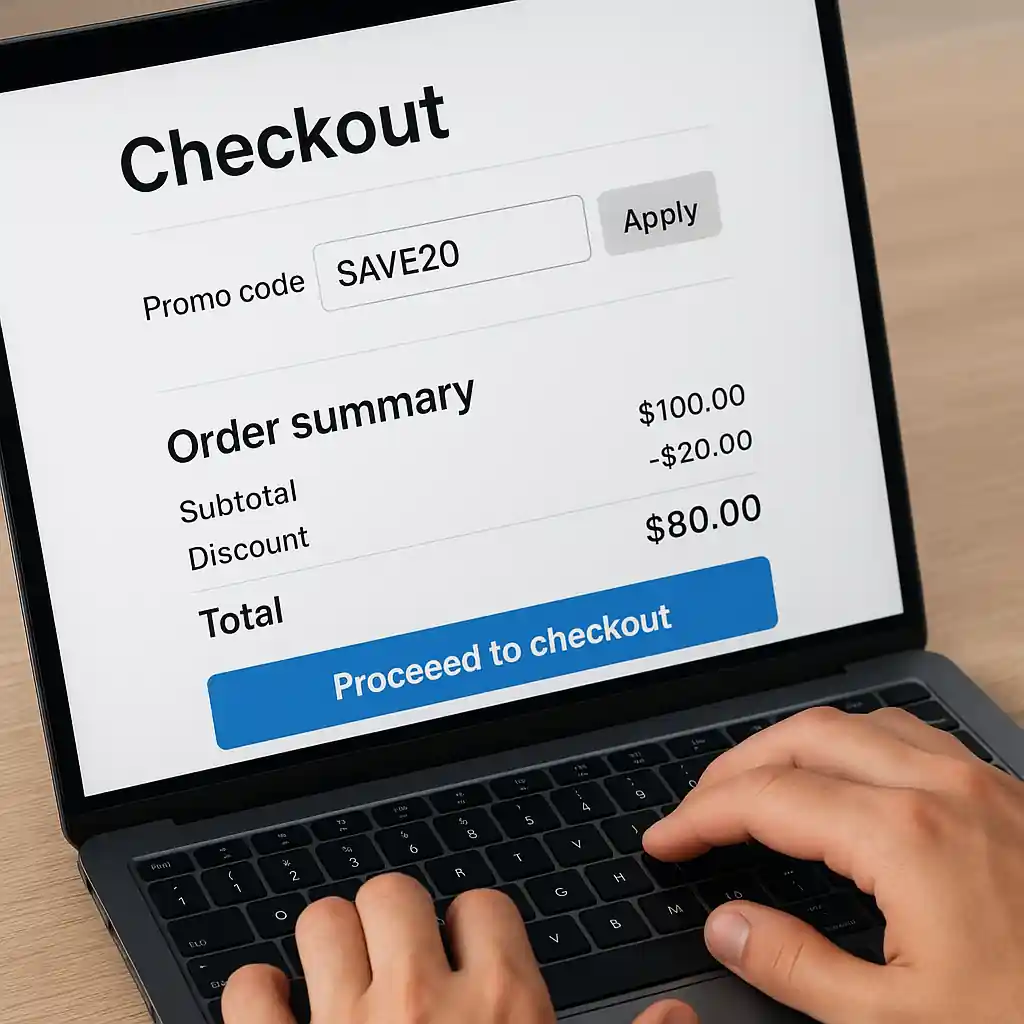
What Home Depot Allows Online: Core Stacking Principles
Online, Home Depot generally enforces a few predictable rules: one promo code per order, store sale prices apply first, and some account-level discounts (Pro Xtra, military, educator) may apply on top of sale prices. The phrase “home depot coupon online” describes both promo codes you paste into the checkout box and digital coupons the site auto-applies.
Key points to remember:
- One promo code at checkout: Most standard checkout code fields accept a single promo code. If you have two codes of the same class, they often will not combine.
- Store discounts + account perks: Pro Xtra pricing and some verified account discounts can stack with sale prices; whether they stack with a promo code depends on the specific offer terms.
- Manufacturer rebates: Rebates filed after purchase typically stack because they are processed by the manufacturer and not the retailer, but you must follow the rebate steps precisely.
- Exclusions: Gift cards, installation services, and certain appliances are commonly excluded from coupon discounts online.
Step-by-step check to verify a stack:
- Add items to cart and note the advertised sale price.
- Sign in to your Home Depot account and confirm any Pro Xtra or verified discounts are active.
- Enter the promo code in the checkout promo field and observe the line-item and order total changes.
- If the code is rejected, check product exclusions and try splitting the purchase into separate orders where allowed.
Practical Examples and Exceptions
Examples help clarify the most common stacking questions shoppers ask when using a home depot coupon online.
- Example A — Sale item + promo code: A drill is on sale for $100. A promo code for 10% off applies at checkout, reducing the $100 to $90. This is allowed if the promo terms don’t exclude sale items.
- Example B — Pro Xtra price + promo code: Pro Xtra members see contractor pricing on an appliance. If the promo terms permit, Pro Xtra pricing remains and the promo code might reduce the final total. Some Pro Xtra perks are not combinable with site promos — check the offer rules.
- Example C — Manufacturer rebate + coupon: Buy a refrigerator on sale for $1,000 with a $100 manufacturer mail-in rebate. You can generally apply an online coupon at checkout and still submit the rebate separately.
- Example D — Military/educator discounts: Verified military or educator discounts often apply in addition to sale pricing but may not work with certain promotional coupons; verification steps are required online.

When to split transactions (simple flow)
- Identify which items accept the promo and which do not.
- Put stackable items in one cart and non-stackable/high-exclusion items in another.
- Complete the purchase that uses the promo code first, then buy the excluded items separately.
How Pro Xtra, Military and Other Account Discounts Interact
Account-level discounts are applied differently because Home Depot verifies membership or status before checkout. That verification can allow certain perks to stack with a home depot coupon online, but rules vary by program.
- Pro Xtra: Rewards and contractor pricing can stack with sale pricing and sometimes with promo codes. If a promo explicitly targets Pro Xtra members, it will usually be combinable.
- Military / Educator / Student: These programs require verification; once verified, discounts may apply in addition to sale prices. They are often excluded from stacking with other percentage-off promo codes unless stated.
- Gift cards and financing: Gift cards are a payment method and do not alter stacking rules, but special financing offers may have separate eligibility and cannot be combined with some promos.
When in doubt, sign into the specific account before checkout and test the promotion — that shows the actual stack behavior for your order.
Common Mistakes
- Assuming two promo codes will combine — the checkout field usually allows only one code of that type.
- Not signing into Pro Xtra or verified accounts before checkout and then missing account discounts.
- Expecting coupons to apply to gift cards, installation services, or excluded appliances without checking terms.
- Trying to use a coupon meant for in‑store redemption in the online promo field.
- Failing to follow manufacturer rebate instructions — missing steps voids post-purchase savings.
- Ignoring shipping, delivery or installation fees that can wipe out perceived savings if not confirmed ahead of time.
- Not documenting failed redemptions (screenshots and timestamps) before contacting customer service.

Related Guides
- Home Depot coupon code online: 2025 savings guide — the hub page for broader tips, full code lists, and how to apply online codes across categories.
- Can you use multiple Home Depot promo codes? — adjacent guide with examples on combining multiple promo-style offers and checkout workarounds.
Conclusion
Short answer: some combinations are allowed, but Home Depot enforces clear classes of discounts online — typically one promo code at a time, with account-level perks and manufacturer rebates handled differently. Use the step-by-step checks above to confirm whether your specific home depot coupon online will combine with other discounts before you finalize payment.
Next step: review the broader rules and current promo types on our main guide to Home Depot coupon codes online to plan larger purchases and confirm active offers: Home Depot coupon code online: 2025 savings guide.