
This guide explains the typical stacking rules and checkout order you’ll encounter when buying paint during a Home Depot paint sale. You’ll learn which discounts apply first, whether digital or paper manufacturer coupons are accepted on sale paint, and what changes for in-store, curbside and online purchases.
Scope Boundary: This guide focuses on stacking and checkout order for Home Depot paint sale events only; for a full list of current codes and all saving tactics, see our main Home Depot paint sale hub linked below.

Quick Checklist
- Check whether the paint item is marked “clearance,” “sale,” or “manufacturer rebate” before assuming coupons will apply.
- Sign in to your Pro Xtra or Home Depot account first to ensure contractor/Pro pricing appears.
- If you have a paper manufacturer coupon, bring it to the register; digital manufacturer rebates often require separate claim forms.
- Use gift cards last at payment—they rarely affect price calculation but always cover the final total.
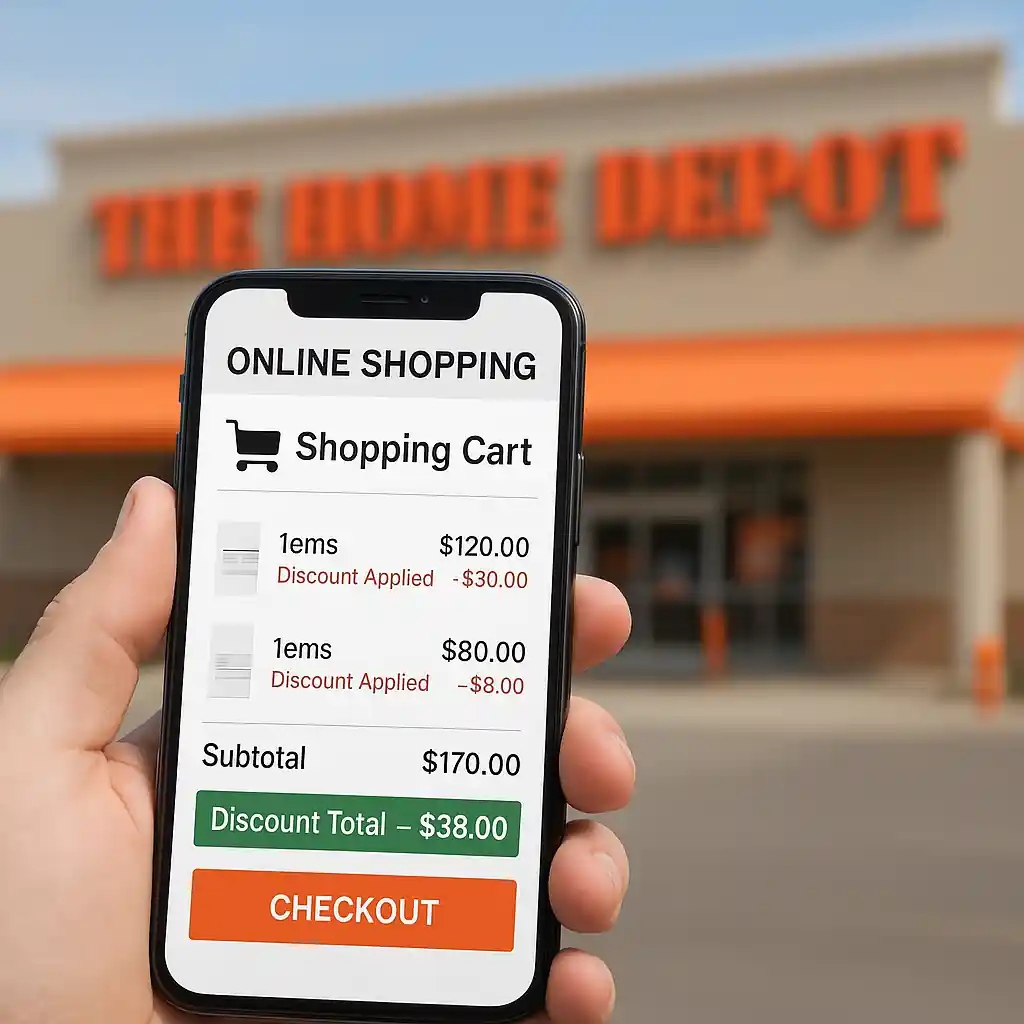
- At self-checkout or online, confirm the discount lines show in the cart before finalizing purchase.
- For mixed orders (tinted gallons + primers), verify whether mixing/tinting fees are excluded from sale pricing.
- Keep receipts and rebate documentation; most manufacturer rebates need purchase date and SKU proof.
- When buying curbside or delivery, ask if the sale price and any coupon were applied to the order before leaving the store.
How stacking usually works (the checkout order)
Understanding the typical order of operations at checkout clarifies why some discounts behave the way they do. Below is the most common sequence you’ll see at Home Depot when a home depot paint sale is active:
- Advertised sale price (the paint SKU’s sale tag): applied first and becomes the base price.
- Store or Pro pricing (Pro Xtra or contractor discounts): applied to eligible SKUs on top of the sale price if the item qualifies.
- Manufacturer coupons / in-store coupons: paper coupons presented at checkout are typically applied after sale and Pro pricing, but exclusions vary by coupon terms.
- Manufacturer rebates: processed outside checkout—you pay the full (or discounted) price and file for the rebate separately.
- Gift cards and payment methods: used at the final payment step; gift cards do not change how discounts stack, they just settle the final total.
Step-by-step flow you can follow in-store:
- 1) Confirm the advertised sale price on the shelf tag or app.
- 2) Sign in to Pro Xtra or show your account to the cashier to pull contractor pricing.
- 3) Hand over any paper manufacturer coupons before the cashier completes the transaction.
- 4) Pay using gift cards or your chosen payment method once the register shows the final total.

Digital vs. paper coupons and manufacturer rebates
Manufacturer coupons and rebates often confuse shoppers during a home depot paint sale because they operate on different systems.
Paper manufacturer coupons
Paper coupons presented in-store are typically treated like a coupon tendered at the register. If the coupon’s fine print allows use on sale items, the cashier will apply it after the sale/Pro price is computed. Always read coupon exclusions: some explicitly exclude promotional/clearance SKUs.
Digital coupons / promo codes
Home Depot’s online cart accepts specific promo codes and digital offers that are designed for online redemption. Many digital manufacturer coupons are processed as rebates, not cart discounts, so they won’t reduce the in-cart price even if the product is on sale. If you plan to buy online during a home depot paint sale, test the code in cart and confirm the discount line appears before payment.
Manufacturer rebates
Rebates are almost always post-purchase. During a paint sale you can often combine a sale price with a manufacturer rebate, but you must follow the rebate steps—keep the receipt, record SKU numbers, and file within the rebate window. See the manufacturer’s site for filing instructions; the EPA or manufacturer pages are authoritative for safety and compliance details when buying certain specialty paints.

In-store, curbside and online differences
Where you complete the purchase changes how and when discounts apply.
- In-store cashier checkout: Best for stacking paper coupons with a sale price and for confirming Pro pricing. You can show proof and ask the cashier to re-scan items or apply coupons before paying.
- Self-checkout: Can accept paper coupons if the store’s policy and machine support scanning them; complex stacks are easier at a staffed register.
- Curbside pickup: Orders placed online should show applied discounts in the cart. For pickup, confirm the in-app or printed order includes coupon adjustments before you accept the order.
- Online delivery: Promo codes and online coupons must be validated in cart. Post-purchase rebates still work, but in-cart coupon stacking may be limited compared with in-store cashier flexibility.
If a home depot paint sale involves custom-tinted paint, mixing fees may be charged separately and can be excluded from coupons or promotions. Ask the paint desk to print your final ticket showing line-item pricing when you buy tinted gallons.
Common Mistakes
- Trying to assume every coupon will apply to clearance-tagged paint. Many manufacturer coupons explicitly exclude clearance or final-sale SKUs.
- Not signing into a Pro Xtra account before checkout. Contractor pricing often requires authentication and won’t retroactively apply after payment.
- Presenting digital rebate claims without the required SKU or receipt details. Rebates are denied when documentation is incomplete.
- Using coupon codes only at payment and not confirming the discount lines in the cart first—this causes surprises when pickup or delivery prep shows a different total.
- Expecting gift cards to change the stacking order. Gift cards pay the final balance and do not convert excluded items to eligible status.
- Assuming custom tinting is discounted during a paint sale. Mixing fees are frequently excluded and must be confirmed at the paint counter.
- Handing a coupon to a cashier after the transaction is closed. Most stores will not retroactively apply coupons unless the register session is still open.
- Forgetting to file manufacturer rebates on time or to include barcodes from purchase—rebate processors deny late or incomplete submissions.
Related Guides
- Home Depot paint sale hub — the main guide for full timing, brand lists, and overall paint sale strategies.
- How to stack paint rebates with Home Depot sales — detailed rebate filing steps and eligible brands.
- In-store vs online: where paint sale prices differ — compares inventory and checkout differences for paint events.
Conclusion
During a home depot paint sale, the advertised sale price is usually the starting point, Pro or contractor pricing can layer on if eligible, and paper manufacturer coupons are commonly applied after those discounts while rebates are filed separately. Gift cards settle the final total rather than change stacking logic.
Next step: if you want the full event calendar and brand-by-brand tactics, open the main Home Depot paint sale hub to plan your purchase timing and rebate follow-up.