
This guide explains exactly how to combine Home Depot Labor Day sale prices with gift cards, Pro Xtra benefits, manufacturer rebates and store coupons so you leave the checkout with the most savings and the fewest surprises. You’ll get step-by-step checkout sequences, typical limits and real example totals so you can plan before you buy.
Scope Boundary: This guide focuses only on the sequence and practical rules for stacking discounts at the Home Depot Labor Day sale; for the full list of current codes, promo pages and all ways to save, see our main Labor Day hub.

Quick Checklist
- Confirm the Labor Day sale price is already active on the product page before adding coupons or gift cards.
- Check Pro Xtra status: logged-in Pro accounts may see different offers or price displays.
- Determine whether the manufacturer rebate requires a separate proof-of-purchase and the purchase date falls inside the sale window.
- Decide payment order: use gift cards first in-store or apply them in the payment step online depending on site behavior.
- Read coupon fine print: watch exclusions for appliances, services, delivery, and special orders.
- Split large buys into multiple transactions only if store limits allow and you understand return/rebate implications.
- Save receipts and take photos of on-screen promo confirmations for rebate filings.
- If you expect a price match, request it before completing payment and keep competitor evidence ready.
Deep Dive: Stacking Sequence That Usually Works
When stacking a Home Depot Labor Day sale price with other discounts, the order you apply payments and coupons affects the final total. Follow this sequence in most cases to avoid problems:
- Confirm sale price and SKU: make sure the price on the product page is the advertised Labor Day sale amount and note the SKU or item number.
- Add to cart and apply any site promo code in the cart-level coupon box (if the coupon is eligible with sale prices).
- Check Pro Xtra membership: if logged in, confirm the Pro discount or volume pricing is applied before checkout.
- At payment, choose gift card(s) first if you’re in-store or using the web’s gift card field; then select your credit card, debit, or special financing for the remainder.
- Submit order and immediately save order confirmation for manufacturer rebate claims (some rebates require a sale-period purchase date).
Step-by-step online flow (typical):
- Step 1 — Verify product page price shows the Labor Day sale amount and add the item to cart.
- Step 2 — Apply any Home Depot promo code in the cart coupon field (if allowed on sale items).
- Step 3 — Sign in to your Pro Xtra account to capture any contractor discounts or rewards multiplier.
- Step 4 — Proceed to checkout and enter gift card numbers in the gift card payment field before charging credit.
- Step 5 — Complete payment and download the receipt and confirmation number for rebate submission.

Gift Cards: rules and tricks
Gift cards are typically a payment method—not a discount—so they don’t change whether a Labor Day price is valid. However, how you apply them matters:
- Online checkout: enter gift card details in the payment step. The site will subtract the gift card balance from the order total after discounts and coupons have been applied at cart level.
- In-store: present gift cards at the register as payment. Cashiers may need to scan coupons first; if a coupon is printed, give it to the cashier before paying with a gift card.
- Split payments: Home Depot generally allows split tenders (gift card + credit). Confirm the cashier or the web UI accepts partial gift card balances on sale items.
- Do not buy discounted gift cards to stack — buying discounted third-party gift cards can complicate return and rebate claims and may violate terms.
Pro Xtra benefits and contractor pricing
Pro Xtra members sometimes get exclusive pricing, volume discounts, or rewards that apply in addition to site sales. Practical points:
- Log in before you start shopping so the cart shows any Pro-specific price. If you checkout as a guest you may lose the Pro display or price.
- Pro perks rarely stack with manufacturer coupons that explicitly exclude other discounts; always review the Pro Xtra message next to the price.
- For large appliance bundles, Pro Xtra pricing can sometimes be combined with sale prices—save the price page screenshot to avoid disputes.
Deep Dive: Manufacturer Rebates and Service Exclusions
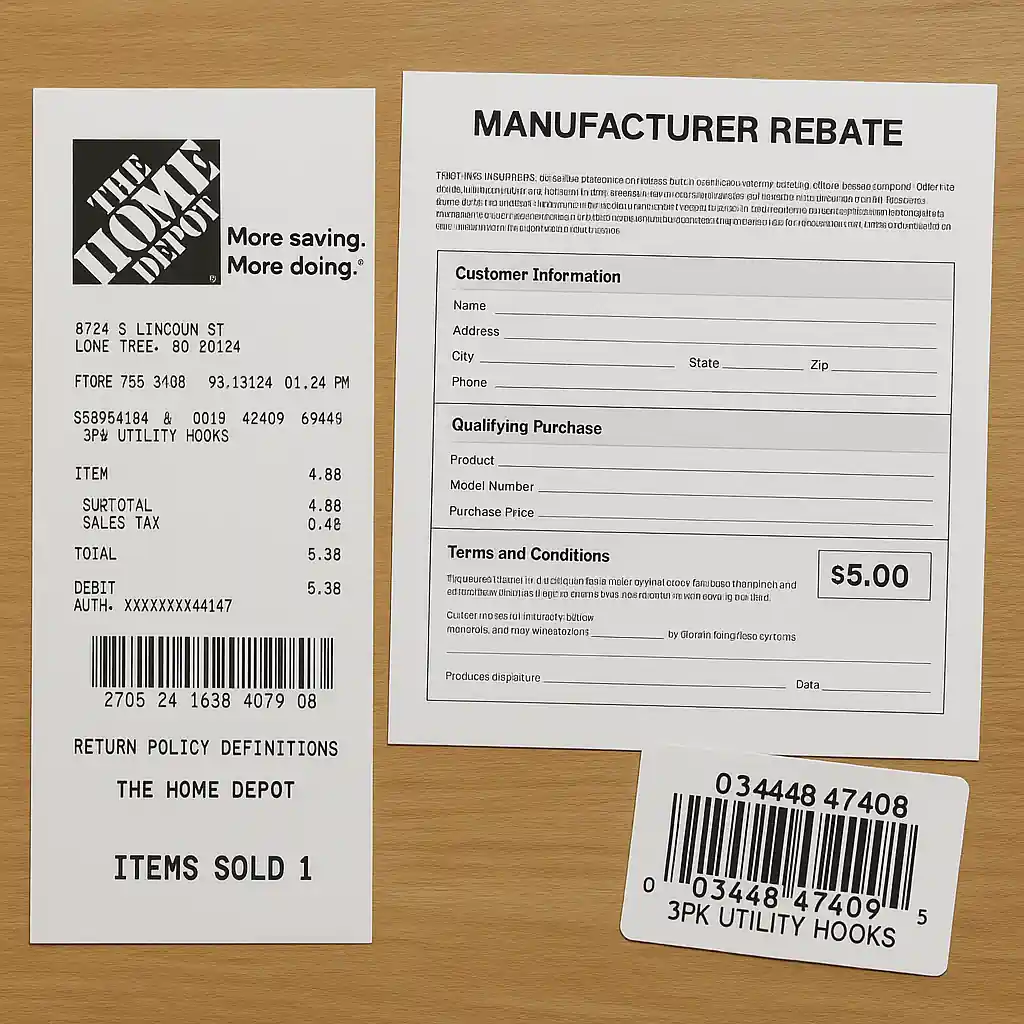
Manufacturer rebates are separate from store discounts and usually require you to submit the store receipt and the product UPC within a stated window. Key rules to remember:
- Eligibility depends on purchase date, not price: a product bought during the Labor Day sale typically qualifies for a rebate if the rebate period covers that date.
- Rebates often require the original receipt and the barcode or UPC; photocopies or screenshots may be acceptable but keep originals until the rebate is processed.
- If you split a purchase across transactions to use multiple coupons, keep separate receipts for each rebate submission to match rebate rules.
Short rebate filing flow:
- Step 1 — Download Home Depot order confirmation and print the receipt.
- Step 2 — Peel or photograph the product UPC and include the necessary sales date on the rebate form.
- Step 3 — Submit rebate per manufacturer instructions and retain tracking numbers for follow-up.

Common Mistakes
- Assuming a coupon will apply to every Labor Day sale item. Many coupons explicitly exclude clearance, appliances, special orders, installation and services—read the fine print and test in cart first.
- Applying gift cards before verifying the coupon or Pro pricing. Doing so can make it harder to adjust payments if a coupon fails at the final step; apply coupons and confirm sale prices first.
- Not logging into Pro Xtra before adding items. Without signing in you can miss contractor-only pricing or volume discounts that alter whether a coupon is valid.
- Failing to keep separate receipts for split transactions. Manufacturer rebates often require single-transaction proof; splitting an order incorrectly can void rebate submissions.
- Using third-party discounted gift cards for large purchases without checking return/rebate rules. They can complicate refunds and warranty claims when returns are needed.
- Waiting to capture confirmation screenshots. Sale prices can fluctuate quickly; if you expect to claim a price adjustment, save screenshots immediately after purchase.
- Trying to stack multiple site promo codes where the cart allows only one. The Home Depot cart frequently permits only one cart-level promo; read coupon stacking rules to avoid failed checkouts.
Related Guides
For broader context and the main hub that covers timing, full event coverage and long lists of deals, see our Home Depot Labor Day hub. For additional stacking tactics on Labor Day specifically, check the stacking-coupons guide and the gift cards & split payments FAQ below.
- Home Depot Labor Day Sale: complete hub and event guide
- How to stack coupons with Home Depot Labor Day sale
- Using gift cards and split payments during Labor Day pricing
Useful official resources: Home Depot customer service and the Pro Xtra program pages explain payment and contractor rules in detail.
Official links: Home Depot, Home Depot Pro Xtra.
Conclusion
Stacking a Home Depot Labor Day sale price with gift cards, Pro Xtra benefits, rebates and coupons is routine when you follow a consistent order: confirm sale price, apply cart-level coupons, sign in to capture Pro pricing, then use gift cards at payment and save receipts for rebates. Avoid splitting transactions unless you understand rebate and return consequences.
Next step: for a full event overview and a checklist of which categories drop biggest during the sale, visit our main Home Depot Labor Day hub to plan your purchases.