
Shoppers love a deep discount, but not all markdowns behave the same. In this guide you’ll learn how home depot penny deals differ from regular clearance, where to find them, how to verify prices with the app and barcode checks, and — just as important — when to walk away. These tactics keep you from wasting trips and protect resale or safety risks.
What are home depot penny deals and how they happen
Home Depot penny deals are extreme in-store markdowns that sometimes reduce an item’s price to one cent. They most often appear when inventory systems, vendor records, or local price files get misaligned during clearance cycles. Retail staff may mark items for large markdowns, or automated rules apply deep discounts to specific SKUs. Because they occur in a live retail environment, availability varies by store and by department.
If you want a quick primer, see the official explainer and common patterns at /what-are-home-depot-penny-deals/.

Penny deals vs regular clearance: key differences
Understanding the differences helps you choose between hunting penny markdowns or waiting for scheduled clearance. Regular clearance follows predictable markdown waves: seasonal items, holiday decor, or overstock move through percentage discounts over weeks. Penny deals are usually ad hoc, sharper, and rare. Here are the practical contrasts:
- Predictability: Regular clearance follows a timeline; penny deals do not.
- Depth of discount: Penny deals can drop to nearly zero; clearance moves gradually to 30–70% off.
- Risk and legality: Clearance sales follow published store rules; penny items may trigger policy questions — consult official guidance when in doubt.
For tips on reading tags and barcodes that help you spot these differences, check /how-to-spot-home-depot-penny-deals/.

Where to find penny deals and how to confirm them
Location matters. Certain departments tend to show deeper, faster clearances: seasonal decor, lighting, garden center accessories, and small appliances. Professional tools and new, boxed items rarely reach penny pricing because of serial numbers and asset controls. Follow these step-by-step checks before you buy or resell:
- Scan the barcode with the Home Depot app at the shelf to confirm the register price.
- Note the tag type: clearance tags generally display percent-off info; a penny sticker may be a management markup error.
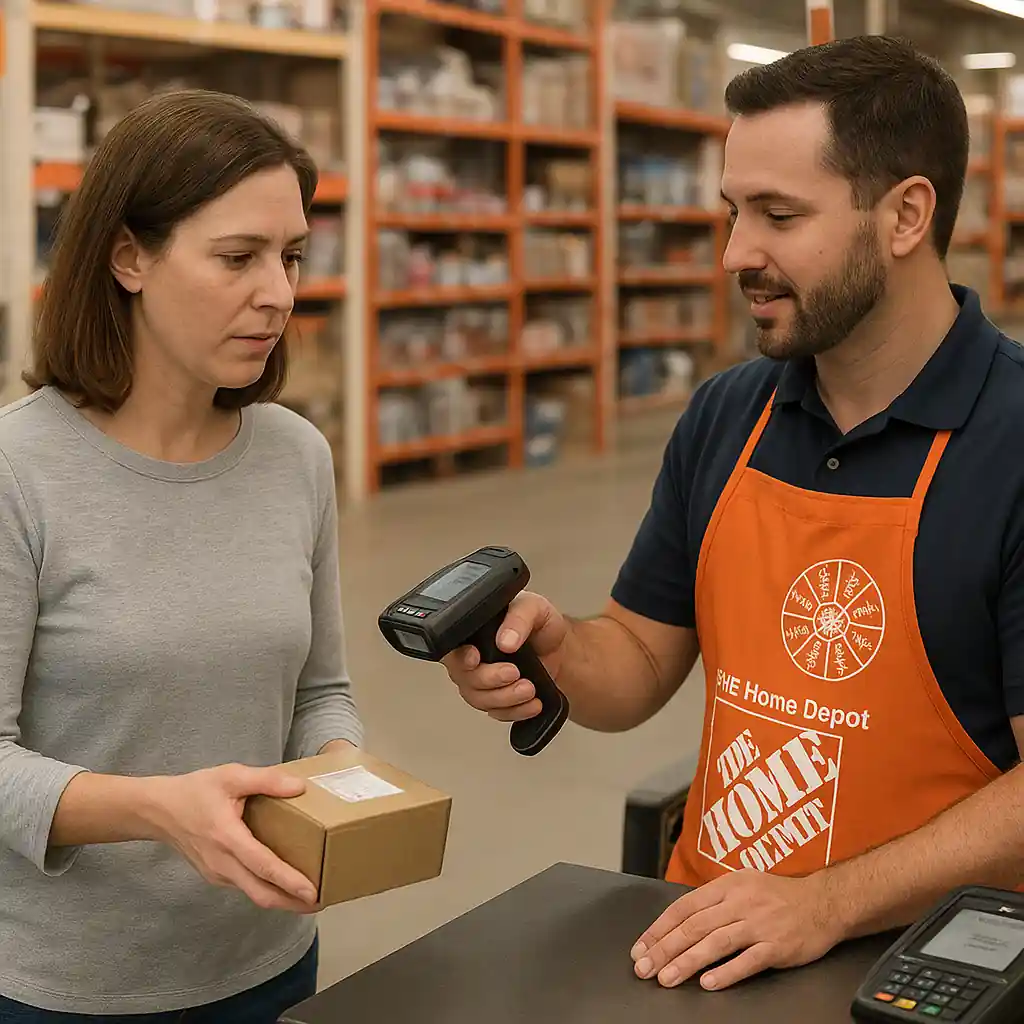
- Ask an associate to price-check at the register rather than assuming the shelf tag is final.
- Check manufacturer warnings and product safety recalls at public sources to avoid unsafe buys — government pages like CPSC add useful safety context.
If you prefer app confirmation, see practical scanning tactics at /using-home-depot-app-to-confirm-penny-deals/.
Smart hunting rules when pursuing penny markdowns
Chasing penny deals can be rewarding but wastes time without rules. Adopt a disciplined approach with a short checklist and an exit strategy.
Pre-visit prep
- Target the right departments: seasonal, decor, garden, lighting.
- Call ahead only if the SKU is essential — many penny items aren’t scanned correctly over the phone.
- Plan short trips: penny items move fast and vary by store.
In-store checks
- Always scan before you pick up multiple items to avoid surprises at checkout.
- Take pictures of tags and register receipts for proof if a pricing dispute arises.
- Respect staff instructions — associates can correct pricing issues and will explain local clearance rules.
Also, if you use coupons and promo codes, know how they interact with clearance. For general coupon strategy at Home Depot see /home-depot-promo-code/.

When to skip a penny deal and legal or safety limits
Not every ultra-low price is worth it. Skip a penny item if the product shows damage, missing parts, or a safety recall. Reselling items with manufacturer warranty gaps or serial number restrictions may create trouble. Confirm the item isn’t a serialized product that violates return or transfer policies.
Wondering about legality? Buying reduced-price retail items is generally lawful. However, misrepresenting goods, altering tags, or exploiting employee-only systems crosses ethical and sometimes legal lines. If in doubt, read guidance on safe buying from consumer protection authorities or consult the CPSC for product safety details at CPSC.
Resellers: quick decision tree
- Is the item complete and in original packaging? Yes — consider buying. No — skip or test for parts.
- Does it require a serial number for warranty? Yes — verify transferability. No — proceed carefully.
- Can you prove purchase and condition? Keep receipts and photos for buyer confidence.
Practical examples and quick scenarios
Example 1: A boxed seasonal light set shows a penny tag. You scan and the app shows $0.01. Ask an associate to ring one item and photograph the receipt. If the receipt shows one cent, it’s a validated penny sale. Example 2: A power tool with a penny label but a missing charger — skip; incomplete electronics cause returns and complaints.
Conclusion: Which is better?
Regular clearance wins for predictable, safer savings on planned purchases. Home Depot penny deals win for unplanned, high-risk bargains that can deliver huge savings when you know how to verify price, avoid hazards, and follow store rules. Choose a strategy: schedule buys during clearance seasons for low risk, or use the penny-deal checklist above when you want extreme discounts and can act fast.
For more reading on spotting penny tags and barcode decoding, visit /how-to-spot-home-depot-penny-deals/ and the official scanning tips at /using-home-depot-app-to-confirm-penny-deals/.