
Finding true clearance steals at big-box stores feels like a scavenger hunt. Home Depot penny deals are low-cost, deeply discounted items that sometimes slip through regular markdown systems. If you know how to read tags and barcodes and where markdowns hide, you can turn a routine trip into a high-value haul.
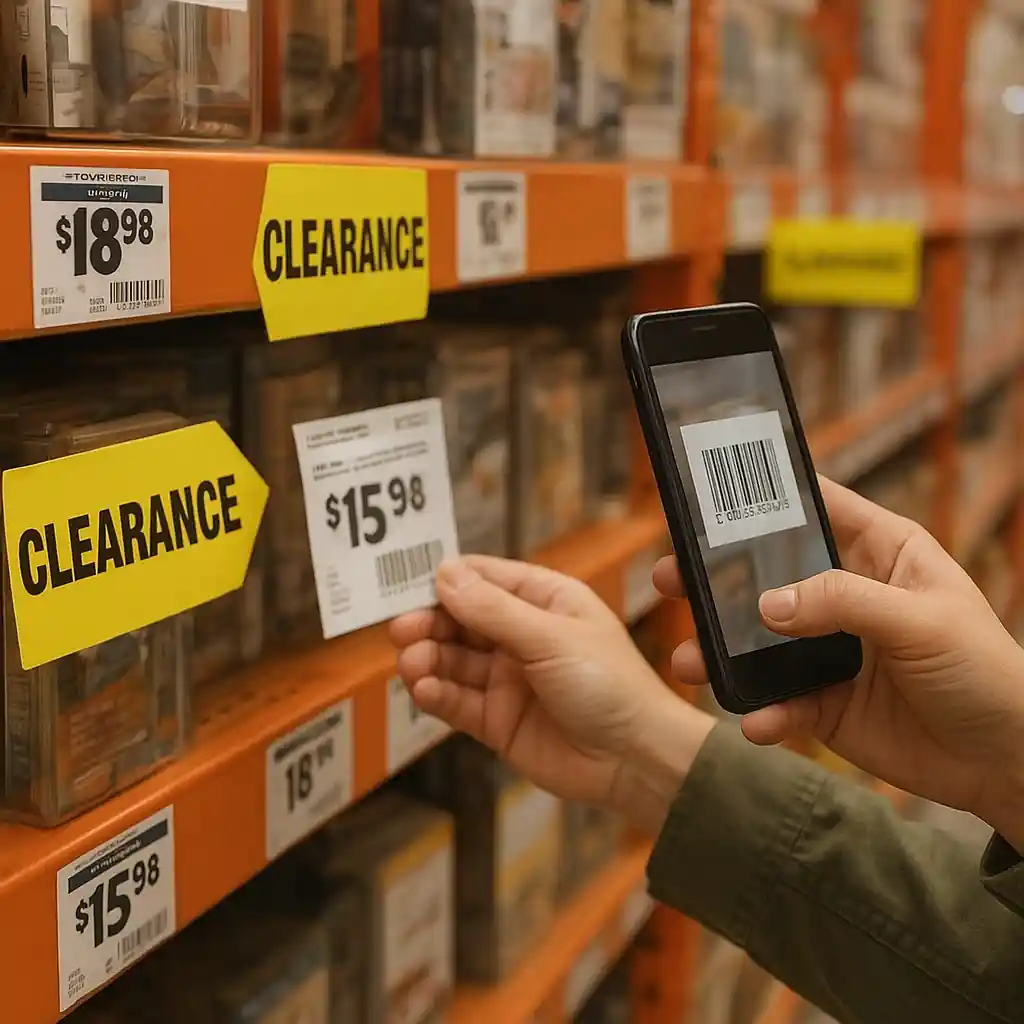
What are home depot penny deals and why they matter
Home Depot penny deals are items marked so low in price that shoppers commonly call them “pennies.” These are usually clearance end-of-life items, seasonal overstocks, or system-markdown errors. The reward is real — small items for next-to-nothing or steep discounts on higher-value products — but finding them requires method and care.
Not every drastically reduced item is a penny deal; sometimes the visible sticker shows the correct clearance price. The trick is distinguishing true penny tags from normal discounts and scanning for barcode clues that signal deeper reductions.
Common penny deal scenarios
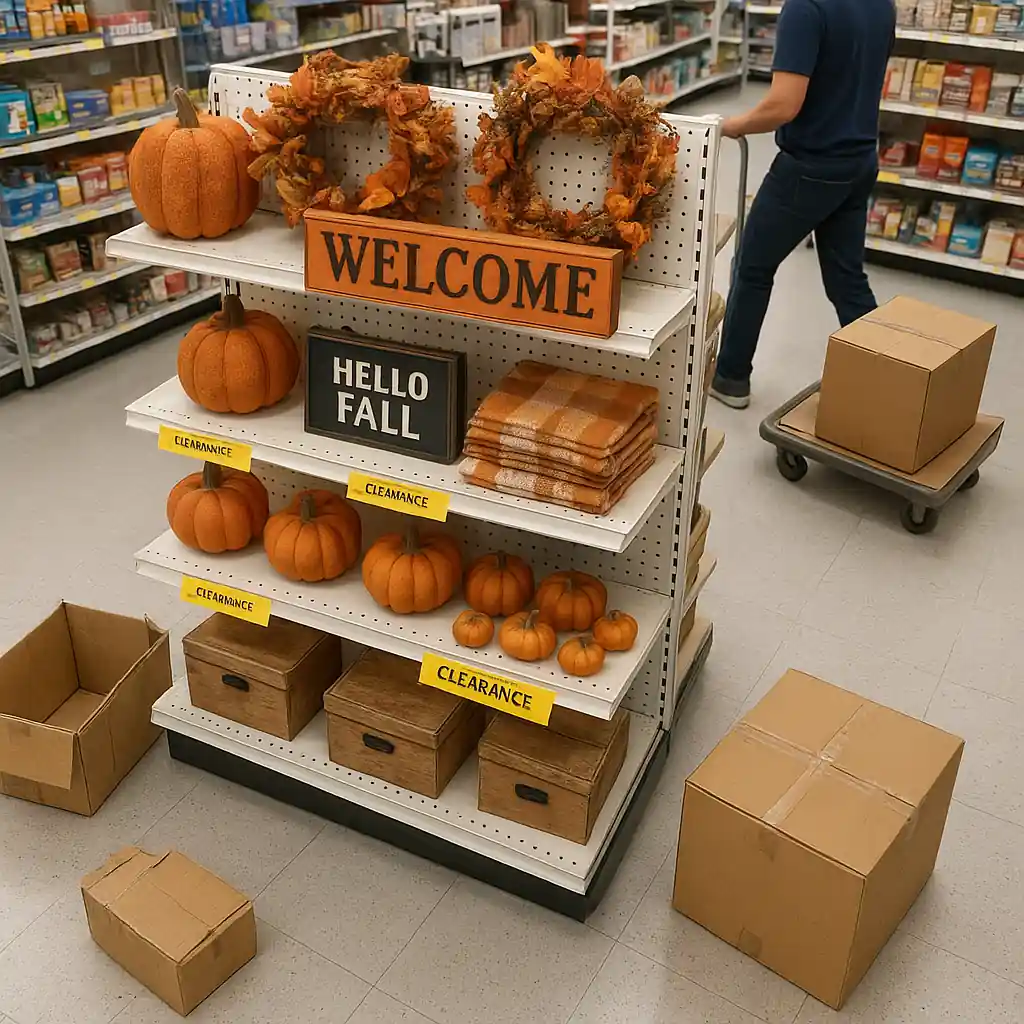
- Seasonal decor leftover after holidays
- Slightly damaged packaging or discontinued SKUs
- System-markdown mistakes where price drops to a few cents
How to read Home Depot penny deals tags and barcodes
Start by learning the visual language of Home Depot tags. Clearance tags and penny tags often differ in color, sticker placement, or barcode formatting. While policies and tag styles change, a few consistent checks help you spot likely penny deals quickly.
Five quick tag checks
- Look for extra stickers: a yellow or white sticker over the original price often signals a clearance change.
- Compare shelf tags to the item tag on the product itself; mismatches can indicate an unpriced clearance.
- Note the price ending: odd endings or extremely low cents are a red flag worth scanning.
- Check for multiple barcode labels; an older barcode under a newer sticker sometimes means a recent system change.
- Observe packaging condition: scuffs, dents, and tape often precede deep markdowns.
To confirm a suspicion, use the store scanner or the retailer’s app to scan the barcode. A scanned price is the most reliable check before you head to checkout.

Where to look for home depot penny deals in-store
Penny deals typically concentrate in a few predictable places. Focusing your search on these zones saves time and increases success.
- End caps for seasonal and promotional items
- Back of aisle clearance bays and marked clearance racks
- Furniture or appliance open-box sections
- Garden center and seasonal outdoor displays after the season ends
Move slowly through these areas and scan methodically. When you find one potential penny item, scan adjacent SKUs — sometimes entire pallets or stacks get repriced together by mistake.
Decoding barcodes and SKU clues
Barcodes and SKU numbers contain helpful patterns. While internal numbering schemes differ by retailer and can change, here are practical barcode tips that often show up with penny deals.
- Check the beginning digits: system-markdown patterns sometimes alter the prefix or add a secondary barcode sticker.
- Compare SKU on the box to the shelf tag SKU; mismatches might mean the shelf shows an older or different item’s price.
- When in doubt, scan with the Home Depot app or a store price scanner to see the live price tied to that barcode.
Remember: the scanned price is authoritative at checkout. If an item rings higher, ask a team member to confirm or adjust the register price before you pay.
Practical steps to safely claim penny deals
Use these step-by-step actions to verify and secure a penny find without headaches at checkout.
- Scan the item: use the store scanner or the Home Depot app to confirm the live price.
- Note the shelf tag SKU and the item SKU, then take a quick photo as evidence if there’s a mismatch.
- If the scanner shows the penny price but register charges more, request a price check from an associate immediately.
- Be courteous — associates can help locate additional clearance or process adjustments faster when treated respectfully.
- Understand limits: some penny items are one-off errors and the store may not honor large quantities.
When you find multiple items, avoid assumptions about quantity limits — ask before you bulk-buy. Many stores will approve a reasonable number, but policies vary by location and manager discretion.
Using apps and online tools to confirm penny tags
Smartphone tools and store scanning apps make verifying penny deals faster. The Home Depot app and shelf scanners show current register prices; third-party barcode apps can also reveal price history in some cases.
For background on product recalls or safety concerns related to clearance purchases, check the U.S. Consumer Product Safety Commission at www.cpsc.gov before buying used or heavily discounted items.
If you want context about penny deals and how they work, the site maintains a guide with examples and tactics — see more on what are home depot penny deals.
Common mistakes and how to avoid them
Shoppers often misread tags or rush the scan. Common errors and quick fixes:
- Assuming a sticker equals a penny price — always scan.
- Ignoring the SKU mismatch — photograph both tags to present to a cashier.
- Bulk-buying without confirmation — ask for manager approval for larger quantities.
For broader coupon and code tips that pair well with penny strategies, see related resources like Home Depot promo code guidance and our online coupon code walkthrough.

Legal and safety considerations
Clearance purchases are valid items; however, if you’re buying electrical or safety-critical products, verify recalls and safety notices. The CPSC link above offers recall searches and safety advice to ensure your bargain is also safe.
Conclusion
Spotting home depot penny deals combines observation, barcode checks, and a few good habits. Learn tag patterns, focus on clearance zones, verify prices with a scan, and be ready to ask an associate for confirmation. With patience and a plan, you’ll convert shopping trips into consistent savings.
Happy hunting — and remember to scan before you buy.